5-Star Google Rating — Trusted by 500+ Local Businesses

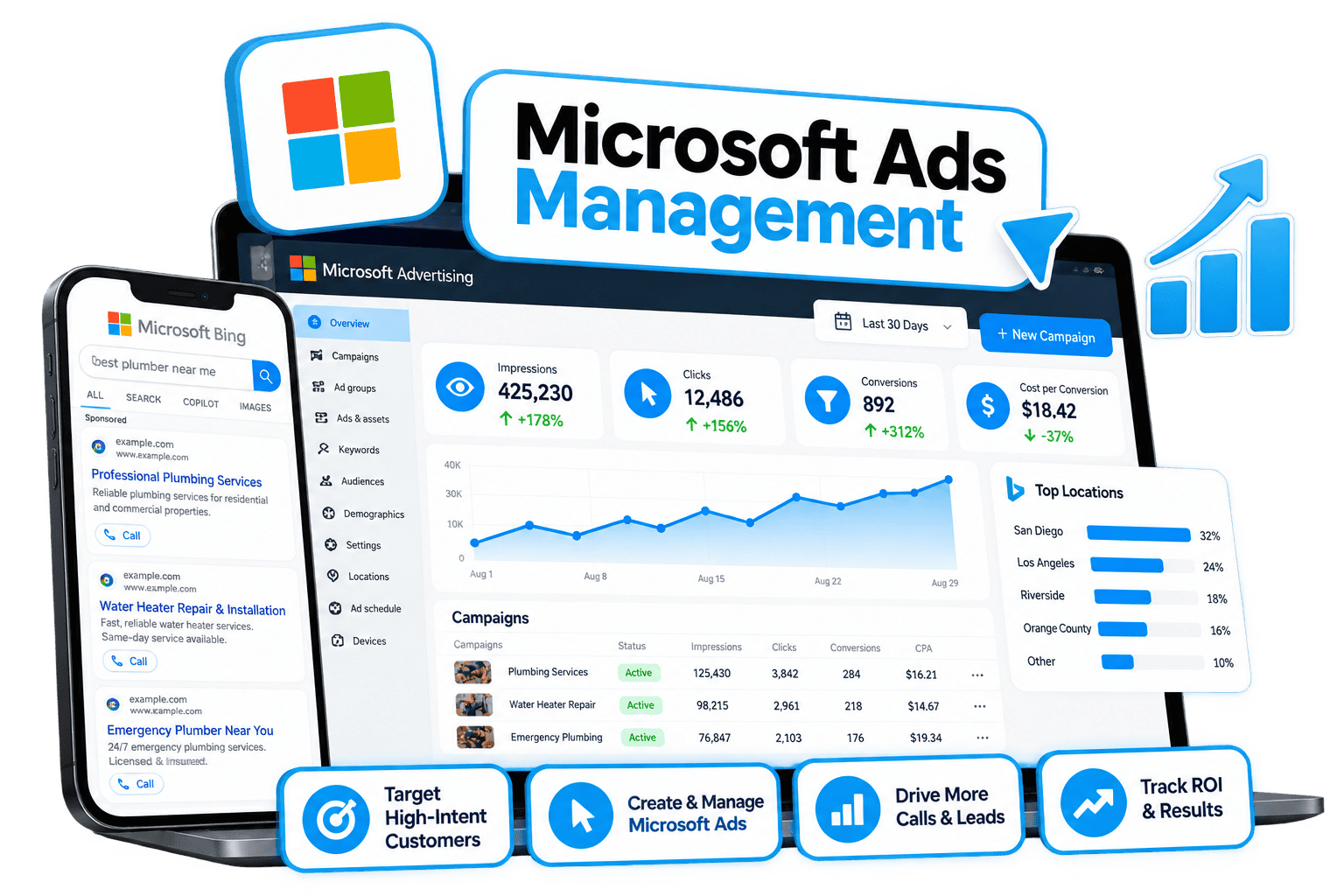
Microsoft Ads Management for Businesses

Reach High-Intent Searchers Your Competitors Are Ignoring on Bing, Edge, and Copilot.

Roughly 1 in 6 U.S. desktop searches never touch Google. We build Microsoft Ads campaigns from the ground up — native to the Microsoft auction, not recycled from your Google account — to reach an older, higher-income, desktop-first audience at a lower cost per click.

Lower Competition Means a Lower Cost Per Click
Quick 15-Minute Demo — No Pressure, No Commitment
Runs Alongside Google Ads and Meta Ads, Not Instead of Them
Microsoft Ads Management for Local Businesses

What's Included

A Complete Microsoft Ads Campaign, Built and Managed for You.

From account setup to monthly reporting, every piece of your Microsoft Ads campaign is handled — built natively for the Microsoft auction, not copied from Google.

Account Setup & Verification Guidance

We walk you through setting up your own verified Microsoft Advertising account and handle everything from there — so the account is yours, but the work isn't.

Keyword Research for the Microsoft Auction

We research keywords against actual Microsoft auction data — not a copy-paste of your Google list — so your campaign is built around how people actually search on Bing and Edge.

Search, Shopping & Audience Campaigns

Search text ads, Microsoft Shopping, and Audience Network placements — built and copywritten for your business, with demographic bid adjustments applied from day one.

Conversion Tracking Setup

We install conversion tracking and map your goals — form fills, phone calls, purchases — so every lead your campaign generates is counted and reconciled against your existing analytics.

Weekly Optimization

Your campaign is reviewed and optimized weekly, with a mid-month update sent so you're never wondering what's happening with your ad spend.

Monthly Reporting

You get a clear monthly report on clicks, cost per click, and tracked conversions — plus a call to walk through it, so you always know what your campaign is producing.

Why Microsoft Ads

The Advertising Channel Most of Your Competitors Have Never Touched.

A Channel Most Businesses Overlook

Roughly 1 in 6 U.S. desktop searches happen on Microsoft — across Bing, Microsoft Edge, Windows, Outlook, and now Copilot. Google still leads on mobile, but on desktop, Microsoft is a serious, often-ignored channel. If your Google Ads campaign is already performing well, Microsoft Ads is rarely a replacement — it's additional reach your competitors probably aren't fighting you for.

An Older, Higher-Income, Desktop-First Audience

The Microsoft audience skews older, higher-income, and desktop-first — which makes it a particularly strong fit for B2B and professional services, law firms, financial and wealth management, insurance, senior living, home health, and medical practices. If your business falls into one of these categories, or you've paused Google Ads and need another channel generating leads, Microsoft Ads deserves a serious look.

Lower Competition, Lower Cost Per Click

Fewer advertisers compete in the Microsoft auction than in Google's, which typically means a lower cost per click for the same searcher intent. We build your campaign natively for Microsoft — researching keywords against actual Microsoft auction data, applying Microsoft-specific and demographic bid adjustments — rather than copying over a campaign that was built for a different platform.

Precision Targeting, Including LinkedIn Profile Data

Depending on your campaign type, market, and audience size, we can layer in LinkedIn Profile Targeting — filtering by company, industry, and job function — which is especially valuable for B2B and professional service businesses trying to reach a specific type of decision-maker rather than a broad consumer audience.

A Realistic Timeline

New accounts can take up to 45 days to reach a fully dialed-in strategy. Early on, you'll typically see clicks and click-through rate climb before lead volume follows — some conversions do happen while the account is still warming up, but we judge performance over weeks, not days. A landing page built to convert (we can build one for you — see our Website Design and AI Websites services) is required for the campaign to perform well.

Part of a Complete System, Not a Standalone Ad Account

Microsoft Ads works best as one channel inside a complete marketing system — paired with Search Engine Optimization, AI Search Optimization, and an AI Employee that instantly follows up on every lead the campaign generates — all managed through the LionBear Marketing System, so a lead from Bing gets the same fast response as a lead from Google or Meta.
FAQ

Microsoft Ads Management, Answered.

What is Microsoft Ads and how is it different from Google Ads?

Microsoft Ads places your business across Bing, Microsoft Edge, Windows, Outlook, and Copilot — roughly 1 in 6 U.S. desktop searches. Unlike running the same campaign through Google Ads, we build your Microsoft campaign natively, using keyword research pulled from the Microsoft auction, with fewer competing advertisers and typically a lower cost per click.

Who is Microsoft Ads actually good for?

The Microsoft audience skews older, higher-income, and desktop-first, which makes it a strong fit for B2B and professional services, law firms, financial and wealth management, insurance, senior living, home health, and medical practices. It's also a smart addition if you've paused Google Ads and need another channel generating leads.

How long before I see results?

New accounts can take up to 45 days to reach a fully dialed-in strategy. You'll typically see clicks and click-through rate rise first, with lead volume following as the account warms up. We review and optimize weekly and send a mid-month update, so you're never in the dark on performance.

Do I need a separate landing page?

Yes — a landing page built to convert makes the biggest difference in how your ad spend performs. If you don't already have one, we can build it for you through our Website Design or AI Websites service and connect it directly to your campaign and tracking.

Can I run Microsoft Ads alongside Google Ads and Meta Ads?

Yes, and that's exactly how we recommend running it. Microsoft Ads is additional reach, not a replacement — it works alongside Google Ads and Meta Ads as part of your complete LionBear Marketing System, with every lead — regardless of channel — getting an instant response from your AI Employee.

What do you need from me to get started?

Because Microsoft requires personal verification, you'll need to create your own Microsoft Advertising account — we walk you through every step. From there, we need website or tag manager access to set up tracking, a card on file for ad spend, and a converting landing page. Once that's in place, we handle keyword research, campaign builds, copywriting, and ongoing optimization.

Get Started

Your Competitors Are Fighting Over Google. Microsoft Is Wide Open.

Book a quick 15-minute demo and we'll show you exactly how Microsoft Ads could work for your business — no pressure, no commitment.